Framli · photo tools for iPhone
Convert, resize, and compress photos on iPhone
Framli puts 33 image tools on your iPhone, from Resize and Convert to Clean Metadata and Images to PDF. Every image and PDF is processed on the device.
3 free saves, then Framli Pro. Editing and previews are always free.

Contact sheet
Six frames from one session
-
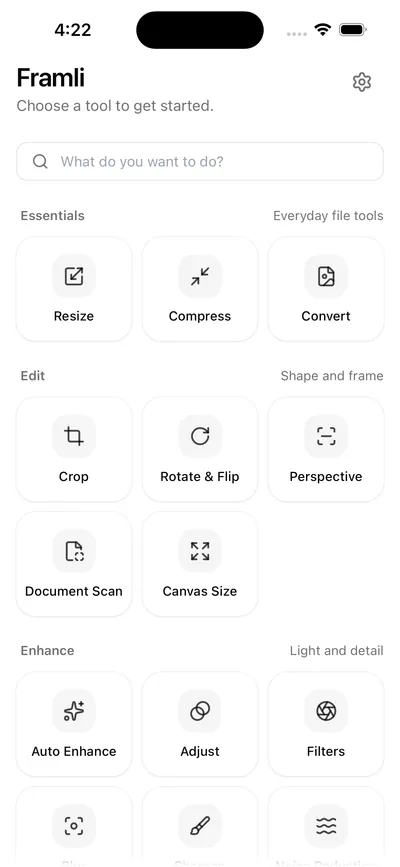
Home
33 tools in six groups
-
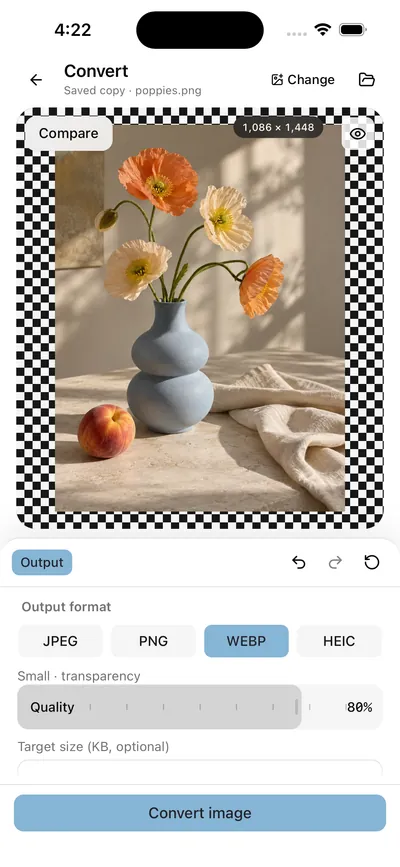
Convert
Change the file format.
-
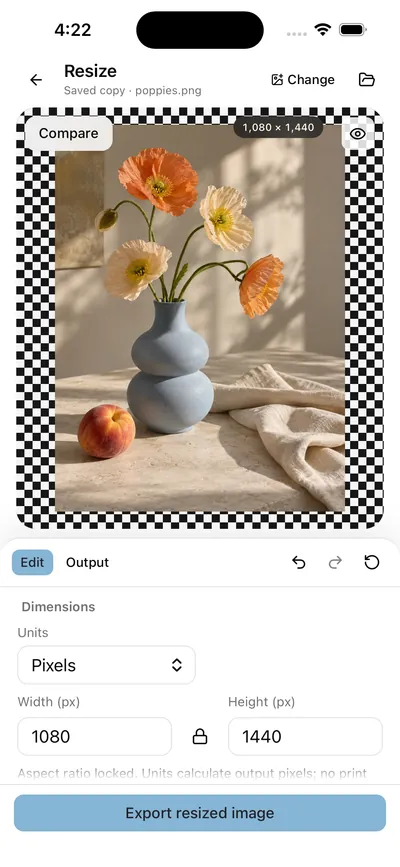
Resize
Change the width and height.
-
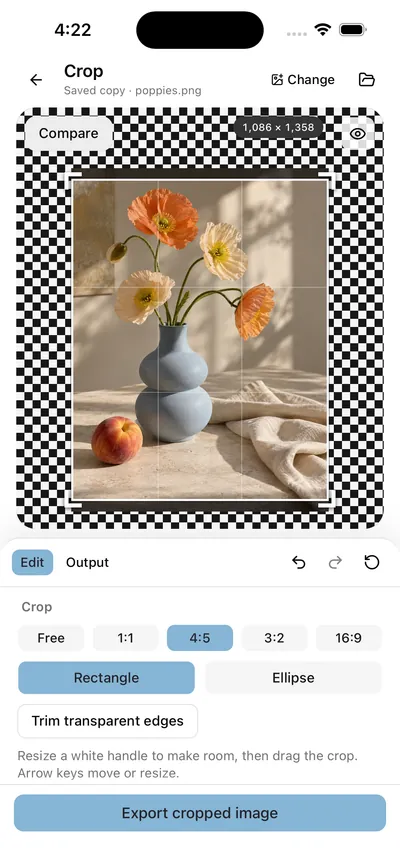
Crop
Shape and frame
-
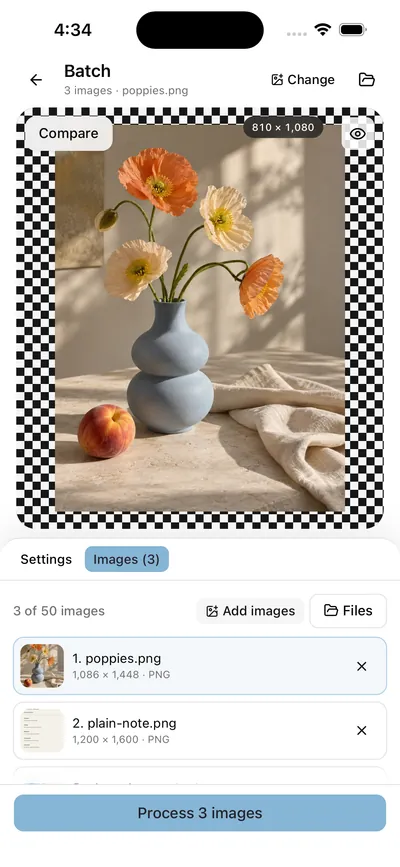
Batch
One setting, many images
-
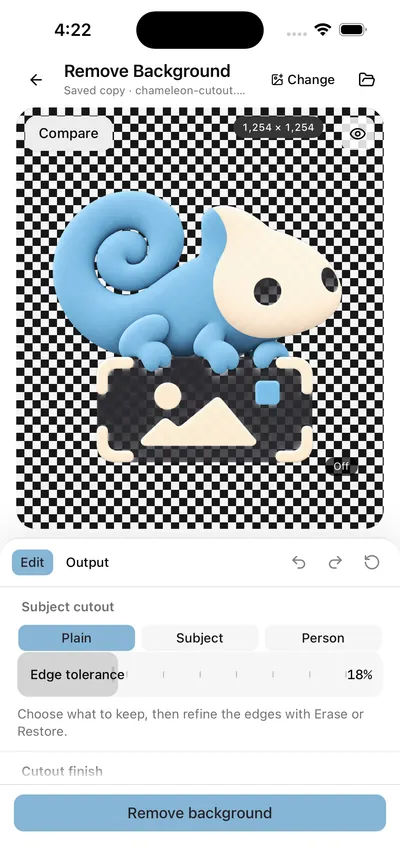
Remove Background
Make a plain background transparent.


Captured natively in the iPhone 16 simulator (iOS 26) from Framli’s current development build, 19 October 2026, in light and dark mode (this page shows the one that matches your device). Labels can differ slightly from the App Store version, 1.0.2.
Convert
JPEG, PNG, WebP and HEIC
Convert between JPEG, PNG, WebP, and HEIC on iOS. PNG and WebP preserve transparency.
- JPEGThe default when the source is a PNG.
- PNGKeeps transparency. Transparent results save as PNG. (supports transparency)
- WebPKeeps transparency. (supports transparency)
- HEICOpens and saves on iPhone.
Framli opens JPEG, PNG, HEIC and WebP. Every export is re-encoded from fresh pixels as SDR sRGB.

Index
33 tools, filed the way the app files them
The six groups on Framli’s Home screen, with the subtitle the app gives each one.
Essentials
Everyday file tools
- 01Resize
- 02Compress
- 03Convert
Edit
Shape and frame
- 04Crop
- 05Rotate & Flip
- 06Perspective
- 07Document Scan
- 08Canvas Size
Enhance
Light and detail
- 09Auto Enhance
- 10Adjust
- 11Filters
- 12Blur
- 13Sharpen
- 14Noise Reduction
Privacy
Hide and remove
- 15Redact
- 16Remove Background
- 17Clean Metadata
Create
Design and combine
- 18Markup
- 19Text & Logo
- 20Collage
- 21Color Palette
- 22Border
- 23Round Corners
- 24Stitch Screenshots
- 25QR Tools
Workflow
Work faster
- 26Batch
- 27Split Image
- 28Watermark
- 29Extract Text
- 30Images to PDF
- 31PDF to Images
- 32Compare Images
- 33Asset Packs
Resize
Exact pixels, never cropped
Set exact pixels with Keep aspect ratio on, or fit the longest edge to 640, 1080 or 2048 px. Resize never crops; with the lock off, a new shape stretches the image.
Canvas Size, in the Edit group, is the other half of hitting the exact pixels a site asks for.
Exports go up to 8,192 px per side and 32 megapixels.

Batch
One setting,
up to 50 images
Batch applies one setting to many images: up to 50 at a time. You can save or share up to 50 results at once.

Where your photos go
“Images and documents stay on your device.”
Framli Settings
- Processing
- Every tool runs on the iPhone, with Apple’s ImageIO, Core Graphics, Core Image and Vision. There are no accounts.
- Photos
- Framli opens your photos without asking to read the library; it only asks to save edited images to it.
- Metadata
- Every export is re-encoded and leaves out camera and location metadata. Clean Metadata makes a clean copy on its own.
- Network
- Purchases go through Apple and RevenueCat. Usage and error reports (PostHog) are on by default; turn off “Share usage and error reports” in Settings. Images, names, and entered text are never included.
Fine print
What Framli won’t do
- Imports up to 100 MB and 80 megapixels per image. Exports up to 8,192 px per side and 32 MP (Stitch Screenshots goes to 32,768 px on the long side).
- No video, GIF or animated images, RAW or HDR editing, and no camera capture.
- No AI generation, generative fill or upscaling. Remove Background’s Subject cutout needs iOS 17.
- Exports can’t keep EXIF or location metadata: every file is re-encoded.
- iPhone only, iOS 15 or later. No Shortcuts actions, widgets or iPad layout.
- No Save button of its own: saving to Photos goes through the share sheet.
Free to try
Edit and preview as much as you like. Your first 3 saves are free; after that, Framli Pro unlocks unlimited saves. Sharing a result you already saved is free, and a cancelled share doesn’t count.
Questions
Does Framli upload my photos?
No. Every image and PDF is processed on your iPhone, and there are no accounts. The app does send usage and error reports, which you can turn off in Settings; images, names, and entered text are never included.
Which formats can Framli convert?
JPEG, PNG, WebP and HEIC, in either direction. PNG and WebP keep transparency.
Does resizing crop my photo?
No. Resize never crops. With Keep aspect ratio on, the shape stays the same; with the lock off, a new shape stretches the image. Canvas Size is a separate tool in the Edit group.
How many photos can I process at once?
Batch takes up to 50 images and applies one setting to all of them. You can save or share up to 50 results at once.
Is Framli free?
Editing and previews are free, and your first 3 saves are free. After that, Framli Pro unlocks unlimited saves.
Does Framli keep photo metadata?
No. Every export is re-encoded and leaves out camera and location metadata. There is no option to keep it.